
Which one of the following groups have only input devices ?
- (a)Mouse, Keyboard, Printer
- (b)Mouse, Keyboard, Projector
- (c)Mouse, Keyboard, Monitor
- (d)Mouse, Keyboard, Scanner
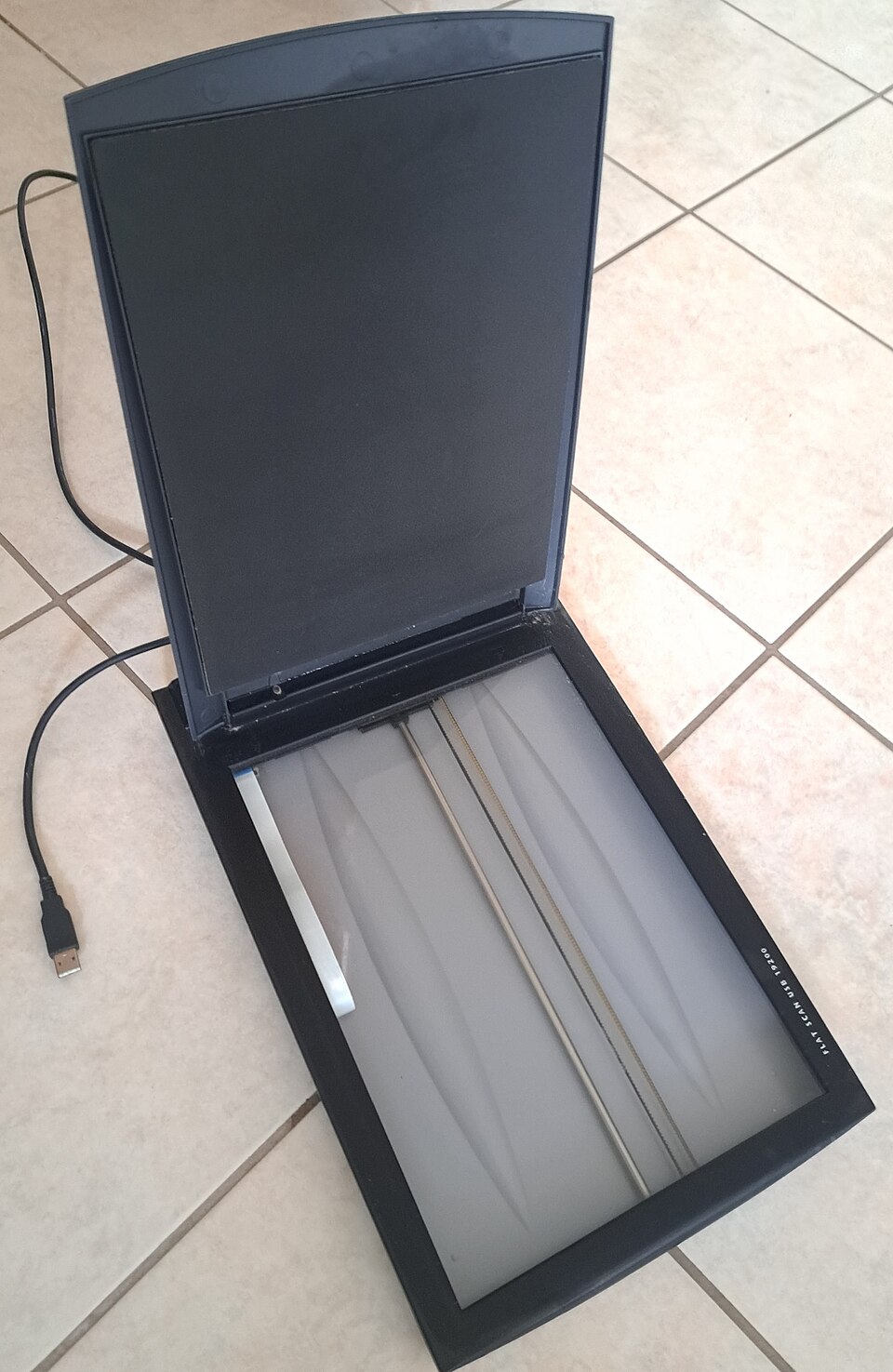
Correct — D, Mouse, Keyboard, Scanner. Every option begins with the same two devices, so the whole question turns on the third item in each group. A device is an input device if it carries data from the outside world into the computer for processing, and an output device if it carries processed data from the computer back out to the user. The mouse is a pointing device: moving it and clicking it sends position and button data to the machine, so it is an input device. The keyboard converts keystrokes into character codes sent to the processor, so it too is an input device. The scanner is the deciding item — it optically reads a physical document or photograph and converts it into a digital image file that goes into the computer, which is input by definition. All three items in (d) therefore point the same way, into the machine, and (d) is the only group that contains nothing else. That makes it the marked answer. The third items in the other three options — printer, projector and monitor — all move information in the opposite direction, out of the computer to a human being, and each of them is a textbook output device.
- (a)Mouse, Keyboard, Printer — The printer is an output device. It takes data the computer has already processed and renders it as a permanent, human-readable copy on paper, which is why printed output is called hard copy as against the soft copy shown on a screen. Nothing about a printer feeds data into the processor, so the group is not 'only input devices'. The one caution worth carrying is that a modern multifunction machine that both prints and scans is doing two different jobs, and its scanning half is what counts as input — a plain printer is output only.
- (b)Mouse, Keyboard, Projector — The projector is an output device. It receives a video signal from the computer and throws an enlarged image onto a screen or wall for an audience to see, which is exactly the outward direction of an output device. It is really a monitor with a longer throw distance; the fact that it sits away from the desk and looks unlike a screen is what makes it feel unfamiliar enough to pick.
- (c)Mouse, Keyboard, Monitor — The monitor, or visual display unit, is the standard output device — it converts the computer's video signal into the picture you look at. It is the most commonly chosen wrong answer because a monitor is the part of a computer people interact with most and so feels like the centre of the conversation. Direction is what decides it: you read a monitor, you do not feed it. The one exception, worth knowing but not applicable here, is a touchscreen, which is a monitor with a touch-sensitive layer bonded to it and is therefore both an input and an output device.
A computer system is conventionally described as four functional blocks: input, processing (the CPU, comprising the control unit and the arithmetic and logic unit), storage (primary memory and secondary storage) and output. Peripherals are classified by which of the two doors they stand in. An input device converts a physical action or a physical medium — a keystroke, a hand movement, a printed page, a sound, a fingerprint — into the digital form the processor can work on. An output device does the reverse, converting the processor's digital result into something a human can see, hear or hold. Classifying peripherals correctly under this single rule is the entire skill this question tests, and it is one of the most repeated items in the computer-awareness section of State PCS papers.
The item is deliberately built as a one-variable question: mouse and keyboard are constant across all four options, so no time should be spent on them, and the whole decision rests on the third name. Once you see that, the question takes five seconds — printer, projector and monitor all send information outwards, the scanner alone brings information in. Two nuances are worth holding for harder versions of this question. First, some devices are genuinely both: a touchscreen, a headset with a microphone, a modem, a network interface card and a touch-enabled all-in-one printer all move data in both directions, and examiners sometimes ask for those explicitly. Second, storage devices such as a hard disk, an SSD or a pen drive are not classified as input or output at all in the strict sense — they are storage, though they are read from and written to, and a careless question that lists a pen drive among 'input devices' is testing a different and shakier idea.
- Input devices convert an external action or medium into machine-readable data. The standard list is: keyboard, mouse, trackball, touchpad, joystick, light pen, graphics tablet or digitiser, scanner, barcode reader, MICR reader, OMR and OCR readers, microphone, webcam, and biometric readers such as fingerprint and iris scanners.
- Output devices convert processed data into human-perceptible form. The standard list is: monitor or visual display unit, printer, plotter, projector, speakers and headphones. Screen output is soft copy; printed output is hard copy.
- Some peripherals are both input and output: a touchscreen, a headset combining microphone and earphones, a modem, a network interface card, and multifunction print-and-scan machines.
- The mouse was devised by Douglas Engelbart's group at the Stanford Research Institute in the mid-1960s and shown publicly in the December 1968 demonstration remembered as 'the Mother of All Demos'; the keyboard's QWERTY arrangement is inherited from the mechanical typewriters of the 1870s.
- A scanner works by illuminating the document and reading the reflected light with a row of light sensors, producing a bitmap image; optical character recognition software then converts that image into editable text — which is why a scanner is grouped with input devices and never with printers.
- Calling a monitor an input device because it is what you look at while working. Direction of data flow decides the class, not how much you interact with it.
- Forgetting that a touchscreen is both input and output. If a question offers 'touchscreen' inside a group labelled 'only input devices', it is usually being used as a deliberate spoiler.
- Treating storage devices such as a pen drive or hard disk as input devices. They are storage; they are neither input nor output in the strict classification.
- Reading a multifunction printer as an input device because it can scan. In these questions 'printer' by itself always means the output-only machine.
UPPSC keeps a small block of computer-awareness questions in General Studies Paper-I and asks them at exactly this level — classify the device, name the memory type, expand the abbreviation. The favourite format is the odd-one-out or the 'which group contains only X' item, where the first two names are held constant and only the third varies. UPSC's General Studies Paper-I does not test computer literacy at this level, so the practice value here lies in State PCS and in Paper-II style aptitude sets.
No directly related past PYQ was found.
- practice — not a real PYQ
Which one of the following is an output device?
- (a)Optical Mark Reader
- (b)Plotter
- (c)Light pen
- (d)Barcode reader
Answer(b) Plotter — a plotter draws the computer's output, typically engineering drawings and maps, using pens or an equivalent mechanism on large sheets, so it is an output device like a printer. An optical mark reader, a light pen and a barcode reader all capture data and feed it into the computer, making them input devices.
- practice — not a real PYQ
Which one of the following devices can function as both an input and an output device?
- (a)Scanner
- (b)Projector
- (c)Touchscreen
- (d)Plotter
Answer(c) Touchscreen — it displays the computer's output while simultaneously registering the user's touch as input, so it belongs to both classes. A scanner is input only, while a projector and a plotter are output only.