
MS-DOS is an operating system with which of the following type of user interface?
- (a)Graphical User Interface
- (b)Touch-based User Interface
- (c)Command-based Interface
- (d)Voice-based Interface
Correct — C, Command-based Interface. MS-DOS (Microsoft Disk Operating System, from 1981) has no windows, icons or mouse pointer. The user types instructions at a prompt such as C:\> — DIR, COPY, DEL, CD, FORMAT — and the command interpreter COMMAND.COM carries them out. It is a single-user, single-tasking command-line (CLI) operating system; the graphical desktop arrived later, with Windows running on top of it.
- (a)Graphical User Interface — A GUI means windows, icons, menus and a pointer — that describes Windows, macOS or a Linux desktop. Early Windows versions in fact ran on top of MS-DOS precisely to supply the graphical layer DOS lacked.
- (b)Touch-based User Interface — Touch interfaces belong to smartphones and tablets (Android, iOS) of the late 2000s onwards; MS-DOS predates them by decades and had no touch support.
- (d)Voice-based Interface — Voice interfaces rely on modern speech recognition (voice assistants). MS-DOS accepted only commands typed at the keyboard.
A user interface is how a person instructs a machine, and four families are usually listed: command-line (type exact commands — MS-DOS, UNIX/Linux shells, Windows cmd and PowerShell), graphical (windows, icons, menus, pointer — Windows, macOS, GNOME), touch (Android, iOS) and voice (speech assistants). A CLI demands exact syntax and is unforgiving for beginners, but it is fast, scriptable and very light on hardware — which is why command lines never disappeared even on graphical systems.
The tempting option is (a), because people remember Windows 95/98 sitting on a DOS foundation and mentally merge the two. Keep them separate: MS-DOS is the text-only base, Windows is the graphical layer added over it. The name itself is the clue — a 'disk operating system' from 1981, when the standard interface for a personal computer was a blinking prompt.
- MS-DOS = Microsoft Disk Operating System; it shipped with the first IBM PC in 1981 (as PC DOS) and is 16-bit, single-user and single-tasking
- Interaction is by typed commands at a prompt (DIR, COPY, DEL, CD, FORMAT); COMMAND.COM is the command interpreter
- MS-DOS grew out of 86-DOS ('QDOS'), written by Tim Paterson at Seattle Computer Products and bought by Microsoft
- GUI means windows, icons, menus and pointer; Windows added that layer over DOS, and modern Windows still ships a command line (cmd / PowerShell)
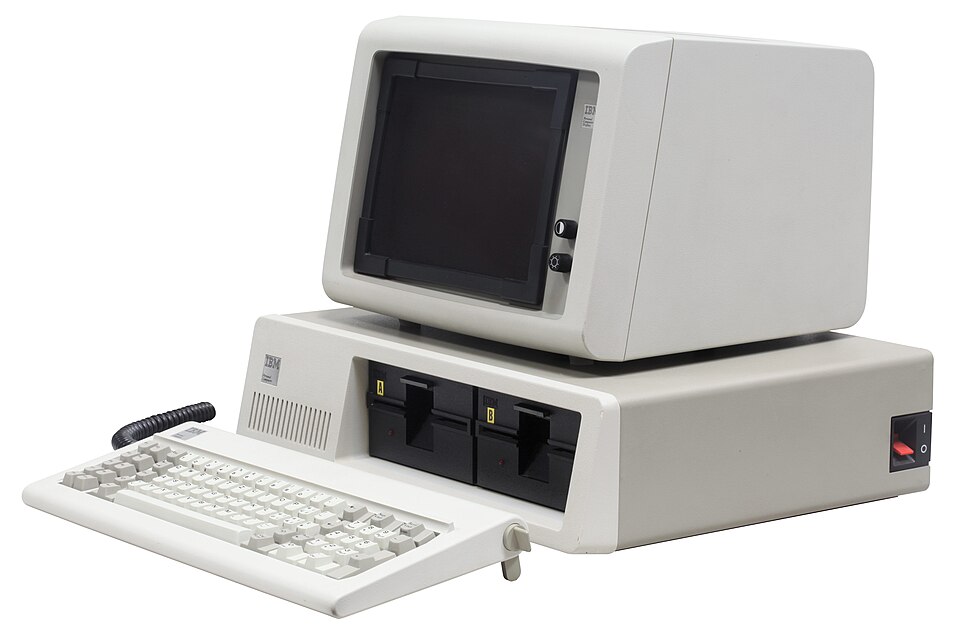
- Assuming that anything from Microsoft is graphical — MS-DOS is text-only; Windows added the GUI on top of it
- Confusing the shell (the command interpreter you talk to) with the kernel (the core of the operating system)
MPPSC's Paper-I computer block asks direct one-liners on operating systems — the interface of MS-DOS, the central part of UNIX, file extensions, types of software. UPSC rarely asks OS trivia and tests IT through applications, e-governance and cyber-security instead.
The central part of the UNIX Operating System is:
- (a) Command Shell
- (b) Kernel
- (c) Directories and Program
- (d) Files
Answer(b) Kernel
The same operating-systems micro-topic one year earlier — kernel versus shell in UNIX is the structural counterpart of the command-line interface tested here for MS-DOS.
- practice — not a real PYQ
In MS-DOS, which command displays the list of files in the current directory?
- (a)DIR
- (b)LIST
- (c)SHOW
- (d)OPEN
Answer(a) DIR — the standard DOS directory-listing command (the Linux/UNIX equivalent is ls). - practice — not a real PYQ
The part of an operating system that interprets the commands typed by the user is called the:
- (a)Kernel
- (b)Shell
- (c)Compiler
- (d)Device driver
Answer(b) Shell — it reads and interprets user commands; the kernel is the core that manages hardware and resources.